FreeBSD Setup
2026-07-27
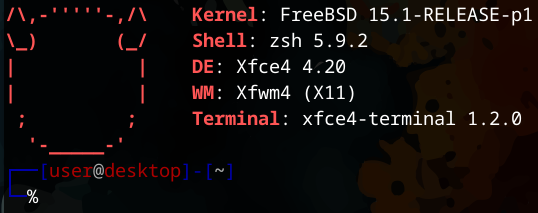
For my first post, I will be covering my experiences setting up a FreeBSD desktop install. Skip to here if you want to just read about how I got a FreeBSD 15.1 XFCE desktop working on my computer. I am documenting this for my own posterity. To make it easier for myself to find the information again in case I ever lose my notebook, and of course, to tell the story of my journey from going from a dabbling Unix magic-user, to at least a novice Unix magic-user.
Background
I have been using Linux since 2015. Going from Kali Linux 1.0 as my first Linux Operating System that I ever used (not counting Android, because nobody ever really counts that) to Ubuntu 15.10, “Wily Werewolf”, to Debian 8, back to Ubuntu with the release of 16.04, on to Fedora, Arch, back to Debian, Ubuntu again, and finally settling on Fedora 25. All this distro-hopping within a two year period. I probably did not stick with any one distro for more than a few weeks during this time.
I stayed with Fedora on that laptop for years. It was a rock solid experience from 2017 through 2020. Upgrading from version to version without a single issue. I did however also use Windows for a gaming PC I built the middle of 2017. Only switching to Arch on that gaming desktop in 2021 after making some upgrades (and quitting WoW Classic). I was even able to play Elden Ring at launch (with better performance to boot! Thank you Valve for Proton!) with that Arch install which was super cool. I however got sick of the guides pushing the AUR (and flash forward to 2026 with the Atomic Arch supply chain attack and I am completely vindicated in my distrust of the AUR) and not having everything setup and being worried about any random update potentially breaking things and the drive to be constantly updating and on and on and on.
I did not actually like Arch. I liked the control it gave me and the understanding of the Linux system I gained from setting it up, but maintaining it was a chore compared to something like Debian (and of course the seemingly uncharacteristically stable experience I had with Fedora).
So I then installed Fedora again in 2022 and proceeded to almost immediately encounter a sound bug that completely broke all audio on my desktop. And because I was not familar with how exactly the audio was setup on that Fedora install because I didn’t need to set it up by hand like on Arch, I mangled the fix and even a reinstall left me without sound. So for whatever reason I switched over to OpenSUSE Tumbleweed. OpenSUSE Tumbleweed with BTRFS was suprisingly stable for a rolling release. Besides some nitpicks with how it did not play nice with dual booting Windows (it kept overwriting the GRUB2 menu every kernel upgrade), I had a good time with it. It certainly does things differently than Fedora, Ubuntu, Debian, and even Arch but I was a 100% full time Linux Desktop user, and all my games worked so I have nothing major to complain about.
In 2023 I joined Mastodon. At the time there were these “starter packs”, lists of accounts curated by topic/interest, shared to help onboard users to Mastodon (since there is no algorithmic feed, just chronological feeds of who you follow, a new user to Mastodon would not see very much). I followed one of these lists for Cybersecurity/Infosec people. As part of that list there where quite a few community members who posted not only about infosec stuff but also Unix administration. Specifically BSD. This was the first time I had been exposed to so many users of BSD systems. Not just firewall appliances or super paranoid privacy focused listicles covering the wonders of OpenBSD. But regular IT admins like myself, using BSD. Particularly FreeBSD. So shout out to Stefano Marinelli who runs the BSD Cafe and more for exposing me to a whole community of people with a passion for security, privacy, IT, and BSD.
So, with a few years of that background radition of exposure to BSD, plus my own interest in trying something new, instead of studying for the GCIH certification test, I spun up FreeBSD on my Raspberry Pi 3. ( I will note that I did manage to pass the GCIH. And only thanks to a lot of hardwork studying and help from people like Hacks4Pancakes.) That was around October 2025 and so I would have been playing around with FreeBSD 14.3. FreeBSD.org provides ready to use images for Raspberry Pis that you write to your SD card and off you go with the OS already set up. Next, I spent months of learning, reading the FreeBSD Handbook, installing, uninstalling, configuring, making all kinds of mistakes, and finally pivoting to trying to set up FreeBSD on my desktop. For a while I had a triple boot. Debian 13, Windows 11, and FreeBSD 15.
To make a long story short, all this is to say that I am comfortable distro-hopping and swapping Operating Systems on a whim. Then around May of 2026, the YouTube channel Linus Tech Tips started another “30 Day Linux Challenge” after doing one years ago. I stumbled onto this and was inspired that for June 2026, I would do my own 30 day challenge. A 30 Day BSD Challenge. Made a hashtag on Mastodon and posted my way through June and by the end I was hooked and now as of July 2026, I am a full time FreeBSD user, having blown away the Debian install. This post serves as kind of a highlight of that journey.
Now at this point I have committed the same sins as online recipe websites. Here is what you all have probably been waiting for if you stumbled onto this off a search engine (or god forbid I tooted the link to my blog at you) for How to setup a FreeBSD desktop.
Set yourself up for success
To get started, if you plan to use or are new to FreeBSD, I highly recommend the following steps:
- Read the first few parts of the FreeBSD Handbook, particularly the first 9 chapters. They walk through exactly what you will be doing to install FreeBSD on your desktop.
- When in doubt about something, check the manpages. If you did not know, manpages come in sections. Its what the number next to the application or utility name is like pkg(8). Read man(1) for more information about how the FreeBSD manual works.
- Get a book about FreeBSD or Unix Administration. I picked up the Unix and Linux System Administration Handbook, Fifth Edition by Evi Nemeth et al. I use it as a handbook. But a book like Absolute FreeBSD or anything else by Michael W Lucas would also count. I have only scratched the surface of the book but between the dead tree on my desk, the FreeBSD handbook (which you can install an offline copy of), and the manpages, I hardly ever had to reach for a search engine. And to be honest, I don’t think search engines of 2026 have as high quality of information as the above material.
With Linux, I would just immediately reach for a search engine and hunt and peck around for information, copying and pasting stuff and only really passively absorbing information about Linux. But now my strategy of using the manuals and handbooks on FreeBSD, I feel like I am more actively learning and understanding how the system is put together and works. I did not know how useful manpages could be! Use them! While I encourage that you stick to reading a physical book and the provided manuals, for online resources for additional FreeBSD content I got value out of the following websites: The FreeBSD Foundation's Blog, Stefano Marinelli's it-notes.dragas.net, Christian Hofstede-Kuhn's blog.hofstede.it and of course the offical FreeBSD Forums.
Now for the meat and potatoes:
Install
This FreeBSD install and setup guide is based on my hardware, preferences, and experience learning FreeBSD in 2026. Please pay attention to where your needs and preferences differ, and of course this is only a snapshot in time of getting FreeBSD 15 installed and updated to the latest branch of 15.1 in 2026. I will only be providing a high level overview of my experience installing FreeBSD as I believe you really should read the Handbook and use that as your guide, not some random schmuck's blog post.
Download a copy of FreeBSDGo to freebsd.org to download the ISO or image for your hardware. I used the FreeBSD 15.0-RELEASE dvd1.iso (for reasons I will get into later) for AMD64 hardware.
Write the ISO to a USB flash drive. If you are not comfortable, or familiar with all the different ways you can write an image to a flash drive, you should become more familiar and comfortable with doing things like that before continuing. However, if you are on FreeBSD, these would be the commands I would run:
# Note: Always validate the checksum of the installer.
# The data integrity of the download is not just for security!
sha256sum -c CHECKSUM.SHA256-FreeBSD-15.0-RELEASE-amd64
# This only works if the CHECKSUM file and ISO are in the same location.
geom disk list
# My flash drive is da0.
sudo dd if=FreeBSD-15.0-RELEASE-amd64-dvd1.iso of=/dev/da0 bs=4m conv=noerror,sync
I then rebooted my computer and booted from the flash drive into the installer and got started.
I selected the default US keyboard keymap, set my hostname, picked the
pkgbase experience, went with auto ZFS, striped on
a single disk (again, follow the handbook and look up what makes
sense for your hardware), setup UEFI, encrypted the drive and let the
install complete. I elected to turn on all the hardening
options.
The TUI/ncurses interface of the FreeBSD installer is a little more “classic” compared to something like Ubuntu but each step is clearly outlined in the Handbook, and is presented on the screen in plain language. At this point, no additional commands are necessary.
Except of course if your hardware, such as networking, is not detected or works out of the box.
My motherboard is equipped with an RTL8125 2.5GbE Controller. Realtek device drivers, or at least drivers for this chip do not come pre-installed and ready to go. You need to get your hands on the Realtek driver package necessary to get your networking card working or get a USB to Ethernet dongle to be able to download and install them. I found these two links with a copy of the driver I needed after some careful research into this problem:1 2. Additionally this forum post got me the configuration steps sorted out.
Once the install is complete I picked the option to drop into a shell instead of rebooting so I could configure my networking. I inserted a FAT32 formatted flash drive with the realtek driver package and ran the following commands:
geom disk list  # To find my flash drive
mount -t msdos /dev/da1s1 /mnt
cd /mnt
pkg -N
pkg add realtek-re-kmod198-198.00.1500068~21236f904c.pkg
# Add to /boot/loader.conf
    if_re_load="YES"
    if_re_name="/boot/modules/if_re.ko"
sysrc ifconfig_re0="DHCP"
sysrc ifconfig_re0_ipv6="inet6 accept_rtadv"
# Now Reboot
shutdown -r now
After reboot I confirmed networking worked with these steps:
date
ntpdate -v -b freebsd.pool.ntp.org
date
sysrc ntpd_enable="YES" # You can also enable NTP during the install.
pkg update
pkg upgrade
shutdown -r now
Next was running the Desktop installer script to get XFCE and X11 going. But first, create a ZFS boot snapshot of your fresh install in case you need to roll back.
bectl create fresh
pkg update
pkg install desktop-installer
desktop-installer
At this point you are walked through configuring a desktop,
creating a user, adding them to the right goups and so on. The script will prompt you to reboot multiple times and start back over.
I elected to go with X11, switched from Quarterly to Latest for package releases, and a basic
XFCE install. Remember to add your non-root user to the video,
operators, and wheel groups. Video for graphics, operator to be
able to shutdown the desktop, and wheel to su to
root. You accomplish this by running the following command:
pw groupmod GROUP -m USER.
The desktop installer script is experimental and some of the steps had changed since I first started using it but it asks you questions as you go and configures everything for you. This is the fastest way to get a working Desktop on FreeBSD but if you want to learn more, check out the FreeBSD Handbook on how to install a desktop environment. The script walks you through essentially all the same steps and I imagine in the future I may not need it (or that the FreeBSD installer will include it as an optional final step).
Once I confirmed XFCE was working, I added another
bectl “snapshot” and got about installing and
testing other applications. KeepassXC, Firefox, Vim, etc.
Now that I had a customized desktop, applications, and
everything was working as expected, I updated to 15.1. The Pkgbase experience
is also a different and experimental way of managing FreeBSD. The old method was just using the
freebsd-update command.
Definitely prepare a snapshot and run the following when you are
ready to upgrade the core system:
pkg upgrade -yr freeBSD-ports pkg
pkg -oABI=FreeBSD:15:$(uname -p) -oOSVERSION=1501000 upgrade -r FreeBSD-base
pkg upgrade -r FreeBSD-ports-kmods
find /etc /usr/local/etc -name '*.pkgnew' -ls # To check for broken configuration files
sysctl machdep.bootmethod # To figure out your bootloader.
efibootmgr -v # Identify EFI System Partition
cp /boot/loader.efi /boot/efi/efi/freebsd/loader.efi
cp /boot/loader.efi /boot/efi/efi/boot/bootx64.efi
shutdown -r now
This upgrades the base system from 15 to 15.1, first by making sure Ports and the package manager are up to date. Please make sure to follow the steps outlined by the official documentation here carefully before upgrading.
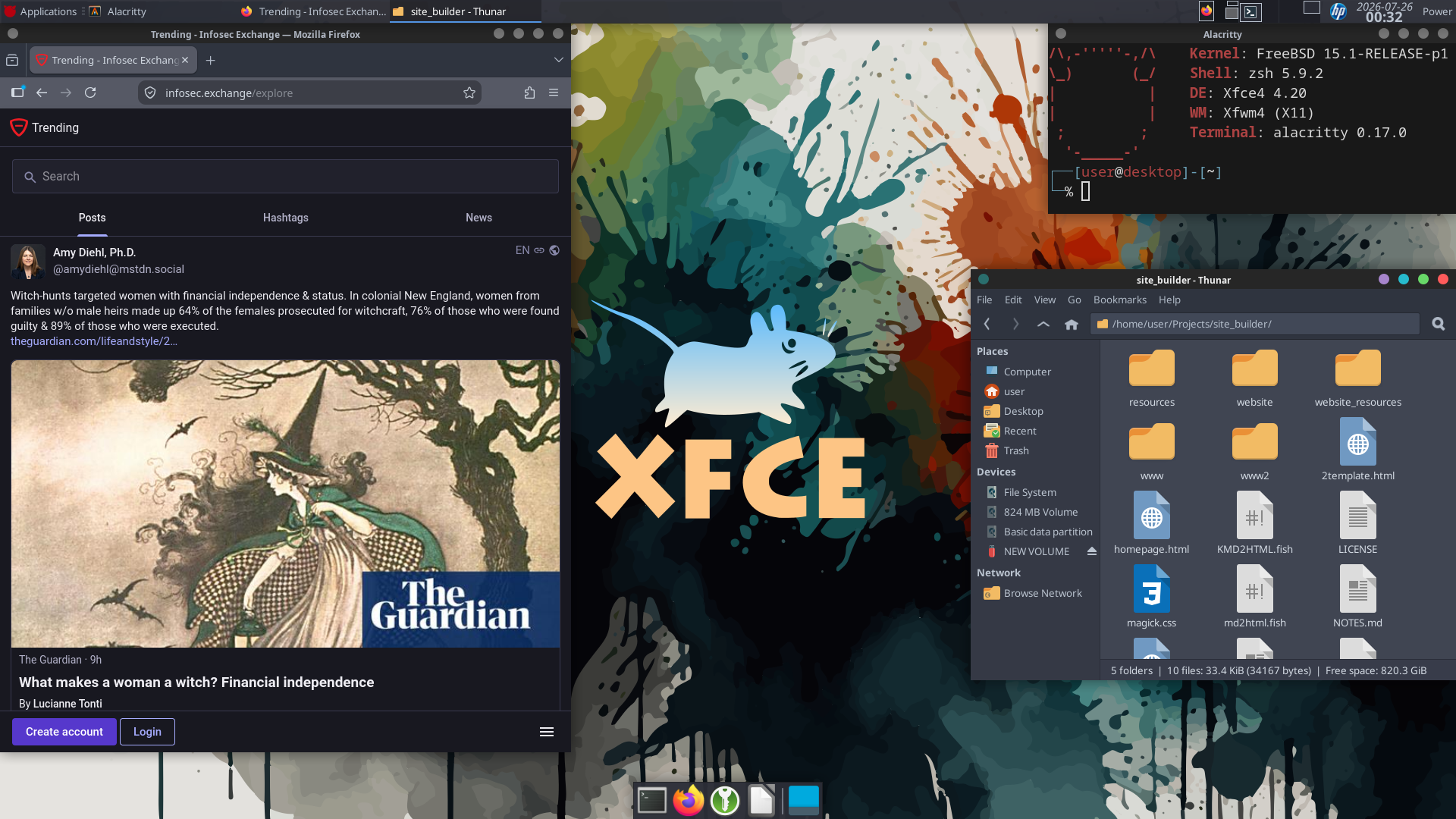
And that’s where I am at. Using FreeBSD 15.1 with XFCE, zsh, vim, and so on. Everything works as expected. I can even use my printer! Installing the HPLIP and CUPS services and it just works! Which is incredible even compared to the experience I had on Arch years ago.
Conclusion
I had a blast learning to use FreeBSD. As a Linux user with 10 years experience, I had heard about BSD, the history of Unix, and so on but I had never really used it outside of a firewall appliance before last year. FreeBSD has made using my computer fun again. Truly, I feel as comfortable, if not more comfortable using FreeBSD than Debian. Warts and all.
But why FreeBSD?Linux Distributions have to combine the kernel (one project), the core userland systems and tooling (usually GNU, another project), a package manager, and more to build an operating system. Many of these components are either downstream from other projects and teams or they are pulling together all these different bits and pieces from all over the place. This can feel cohesive with the right combination, but comparatively, all the BSDs are a cohesive experience from the ground up. They are all based on the highly influential and historic Berkeley Software Distribution. The kernel, system utilities, package management, and base system are all built and maintained by 1 team. And each of the major BSDs can serve a unique role and are highly opinionated in how they should be.
NetBSD:
The Original BSD and the real universal operating system. Portability is a key part of its design and because of that it can run on literally everything. Additionally they have a clearly defined Commit Guideline taking a strong stance against LLM contributions.OpenBSD:
A highly respectable fork of NetBSD with an incredible security story. This reputation is built on high quality code, simple easier to understand programs like doas, and powerhouse projects like OpenSSH. And "only two remote holes in the default install, in a heck of a long time" takes a lot of effort to accomplish. Not only do they stick to their high security/code quality standards but they also maintain a strong stance on software freedom.FreeBSD:
NetBSD's twin, forking off the original BSD shortly after NetBSD. FreeBSD is all about power. Performance is a top priority for the FreeBSD project. Additionally, software compatibility is key too. With a Linux binary compatibility mode, native Wine support, and Bhyve Virtual Machines, you could get almost anything to run on a FreeBSD host. FreeBSD is also backed by the FreeBSD Foundation which has substaintal industry backing to support the community.
So whether you prioritize portability, security, or performance, any of the 3 main BSDs have you covered. And then there's DragonflyBSD or Illumos giving you even more options of Free Libre Open Source Unix goodness.
I am not sure 100% where I heard this first, but I heard about someone's idea of using FreeBSD for "infrastructure" (physical hosts running Byhve, storage and backup devices), OpenBSD for web facing services (Web sites, email, etc. where compatible), and NetBSD for the odds and ends, the strange ARM SBC, some tiny VM for an internal service, old hardware, etc. to align their needs with the philosophies of the different projects. This also introduces diversity into your environment, making it easier to switch and swap around if issues arise and makes it significantly more difficult for a dasterdly computer-burglar to rely on one fatal flaw to gain full access to everything. No single point of failure, OS resilency, and an exposure to a variety of OS philosophies all make a lot of sense for me and would be a goal of mine to setup if I had complete control over my workplace's IT infra.
But again, why FreeBSD for my desktop?The FreeBSD foundation at the start of 2026 has started a "laptop usability" project to make the desktop/end-user experience of FreeBSD better. Overtime, I imagine this will get the experience of installing and using FreeBSD as a desktop OS as easy and straight forward as Linux. It will not be perfect. Personally, the dual boot situation is not as seamless as it is with GRUB2 and Linux. Most guides for that start with the assumption that you have no existing operating systems and can start from scratch. My current setup has a goal of making sure Windows is the default boot for ease of use for my wife and any disruption to that less than ideal. But I simply boot into the UEFI Boot menu and switch to the FreeBSD disk, adding 30 seconds to my startup. A minor inconvience with the added benefit that I get to use a new and exciting OS. Additionally, combined with the expansive Ports collection, Linux binary compatibility mode and native wine support, most if not all the software I use should "just work" on FreeBSD. No need to "lose anything" with the switch from Linux (for gaming, I plan to get a Nintendo Switch 2 and there is the Windows installation to fall back on too). I also want to learn more about Jails, pf, and ZFS, all of which are available on FreeBSD. So I personally feel like there are very few trade-offs with this switch.
I do plan to also install NetBSD on my Raspberry Pi Zero W, OpenBSD on a VPS and my Raspberry Pi 3B to learn more about all the BSDs. Then one day, perhaps I can call myself an expert Unix magic-user. So really I am not just choosing FreeBSD over Linux. I am going with the whole BSD family, and whatever makes sense. Even if, heaven forbid, that happens to Windows or MacOS. I hope to continue to share my experiences here so stay tuned for more if you are interested in my journey.
Thank you for reading this far and best of luck out there!
-kemotep